Stop overtrading before it starts.
SessionLock sits on your phone while you trade on the laptop: checks, an entry gate, and hard daily limits that hold when willpower doesn't.
Not a broker. Not signals. Just changing trading habits.
What it does
Checks
Pre-session checks and affirmations, so you only open risk when you're ready. Until Checks are done, the Gate stays closed.
Gate
A pre-trade ticket: symbol, setup, stop, size. Missing something, outside your window, in cooldown or locked? Yes stays disabled. Tapping Yes auto-logs the trade.
Log
Record what happened and grade the plan. Max loss, max trades and cooldown protect the day; the log teaches tomorrow.
How it works
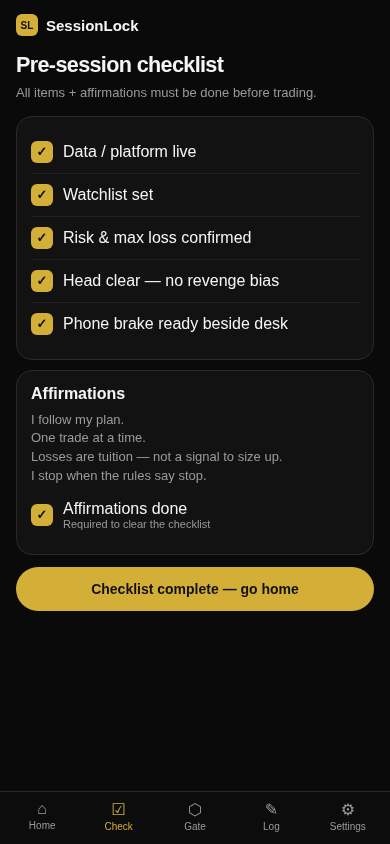 1 · Run Checks
Clear readiness items and affirmations before you can trade.
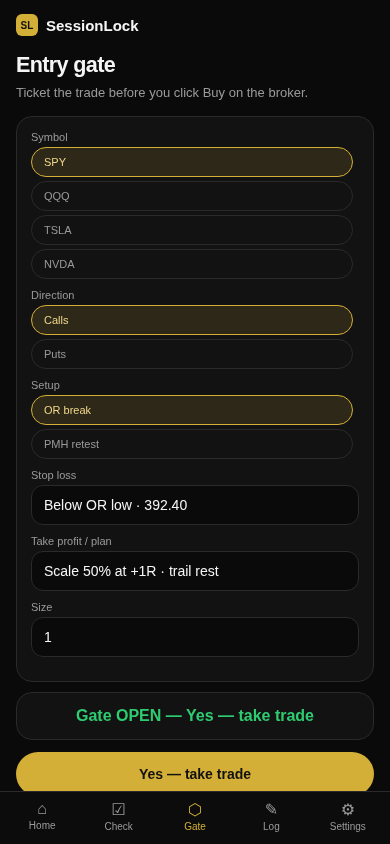 2 · Pass the Gate
Fill the ticket. When the gate opens, tap Yes, then place it on the broker.
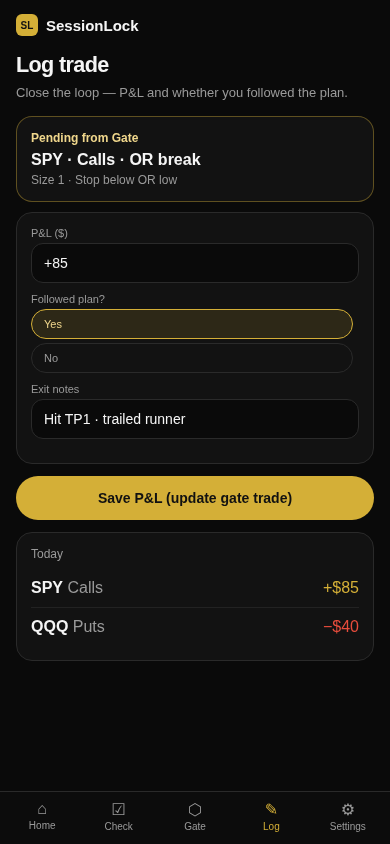 3 · Log
Grade Yes/No on the plan. Record what happened so you learn.
Pricing
Free
- Mobile / this device only
- Checks, Gate, Log, cooldown, daily locks
- Data stays on your phone (localStorage)
- Manual log + CSV import
- Export anytime
Pro Coming soon
- Everything in Free
- Cloud sync across devices
- Broker sync: pull fills (Webull) to update trade count, P&L and hard locks
- Auto-sync while you're in session
- Email account (verify + password reset)
Download
iPhone app coming via TestFlight / App Store. Join the list and we'll send the link, or try the web app on your phone now.
iOS first · Local data · Export anytime
FAQ
Does this make me a better trader?
Only if you use it. You still choose every click. If you skip Checks, Gate and Log or ignore a lock, the app can't save the day.
Is this a broker?
No. SessionLock never buys or sells for you. You place trades on Webull (or your broker).
Free vs Pro?
Free runs on this device. Pro adds cloud sync across devices and broker sync so fills can update your trade count, P&L and locks.
Where does my data go?
Free: stays on your device. Signed-in / Pro: account, synced settings, trades and session state go to SessionLock's cloud (Supabase). Broker API keys stay on your device. Export anytime.
Will broker sync stop me from trading?
No. Sync can lock SessionLock when you hit max trades or max loss. Your broker's Buy button still works; you choose whether to respect the lock.
Do I need to connect Webull?
Not for Free. You can Gate and Log by hand. Pro broker sync is optional.
Who is this for?
Traders who already have setups but leak money on tilt, overtrading and old habits. If you want stock tips, this isn't that app.
Is there an iPhone app?
The web app works on your phone now. Native iPhone (TestFlight / App Store) is next.